
Everything between the question and the fix.
Four jobs, one tool. Collect the feedback, understand what it says, get it in front of whoever can act, and run the whole thing without a compliance headache.
Ask the right person, once, at the right moment.
A campaign is a channel plus a metric plus the rules about who gets asked and when. Getting that last part right is what separates a feedback programme from spam.
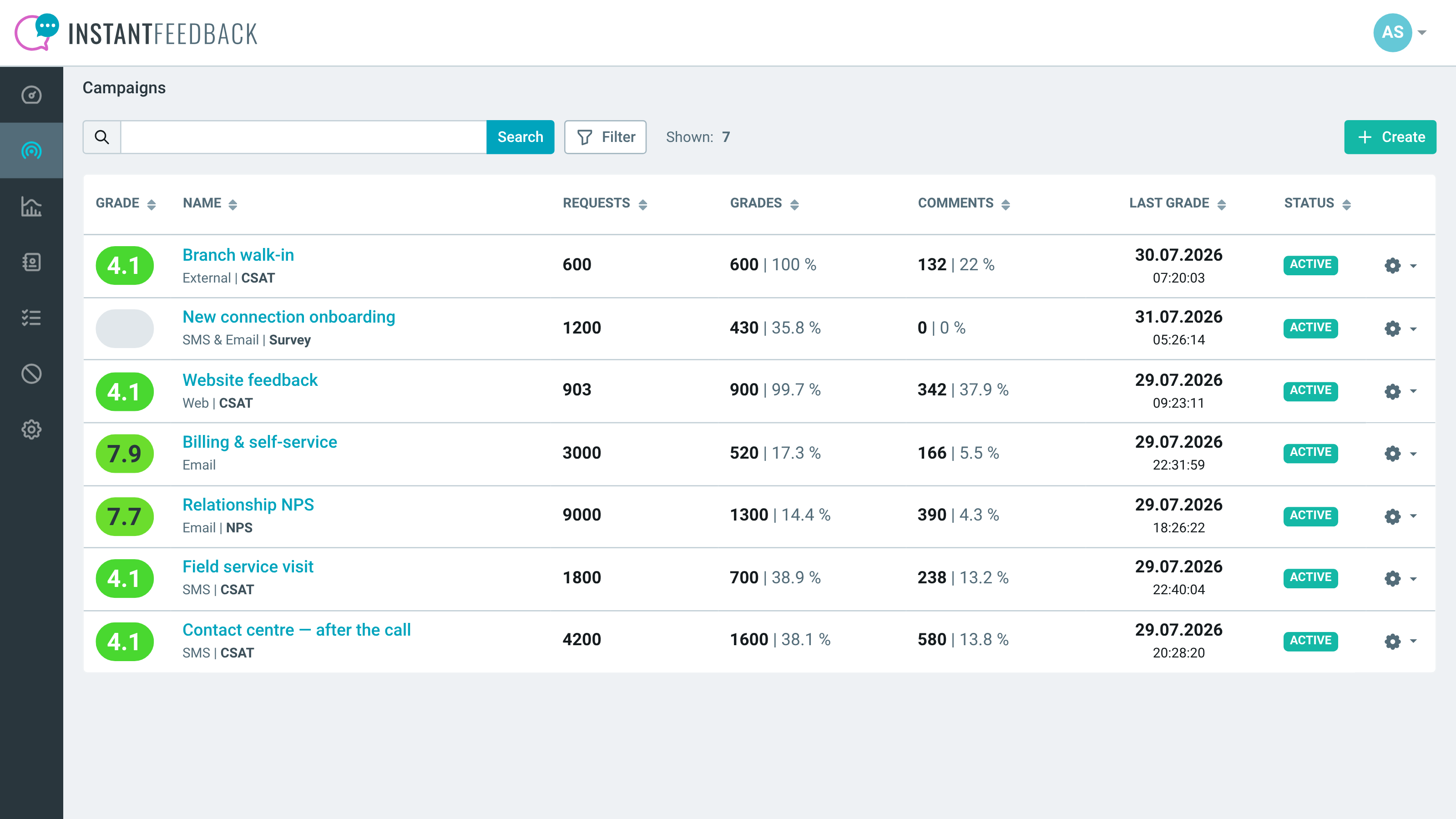
Five channels
SMS, email, SMS and email together, an embeddable web widget, or responses you collected somewhere else and push in. SMS is the one that moves the response rate.
Four metrics
CSAT, NPS, a plain average score, or survey-only when the number isn't the point. Grade scales are yours to define, rendered as numbers, labels or icons.
Contacts in, automatically
A scheduled auto-import over CSV, API or FTP; a HubSpot segment or workflow; a REST API call; or manual sending when you just need to ask a few people.
Inbound rules
Filter who actually gets a request, with the rules applied independently to manual sends, API sends and imports — so an integration can't quietly bypass them.
Send windows and grace periods
A daily send-from/send-until window, a send delay, and a grace period so the same customer isn't asked again too soon. Optional reminders after a set number of days.
Blacklist and graylist
A blacklist for people who must never be contacted. A graylist that automatically rests anyone asked more than a set number of times in a period, and releases them later.
Widgets for your own pages
The feedback widget embeds anywhere and takes a custom theme or your own CSS. A separate public metrics widget shows your live score to your own visitors.
Multi-language, per campaign
Campaign language is set per campaign and separately from the interface language, so one account can run programmes in several markets.
The number, and the reason for the number.
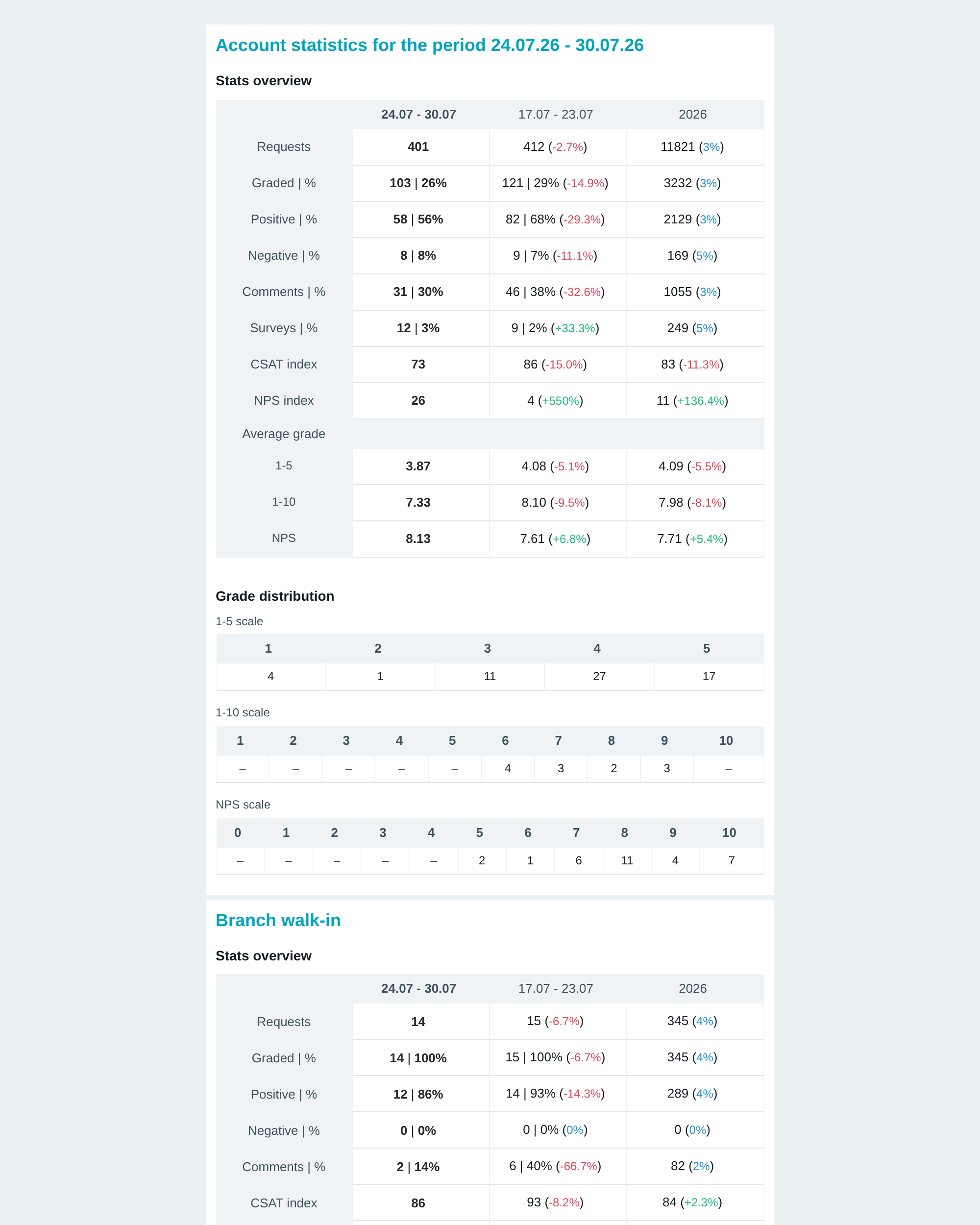
A score tells you something is wrong. The comments tell you what. Reporting here is built so you can get from one to the other without exporting anything.
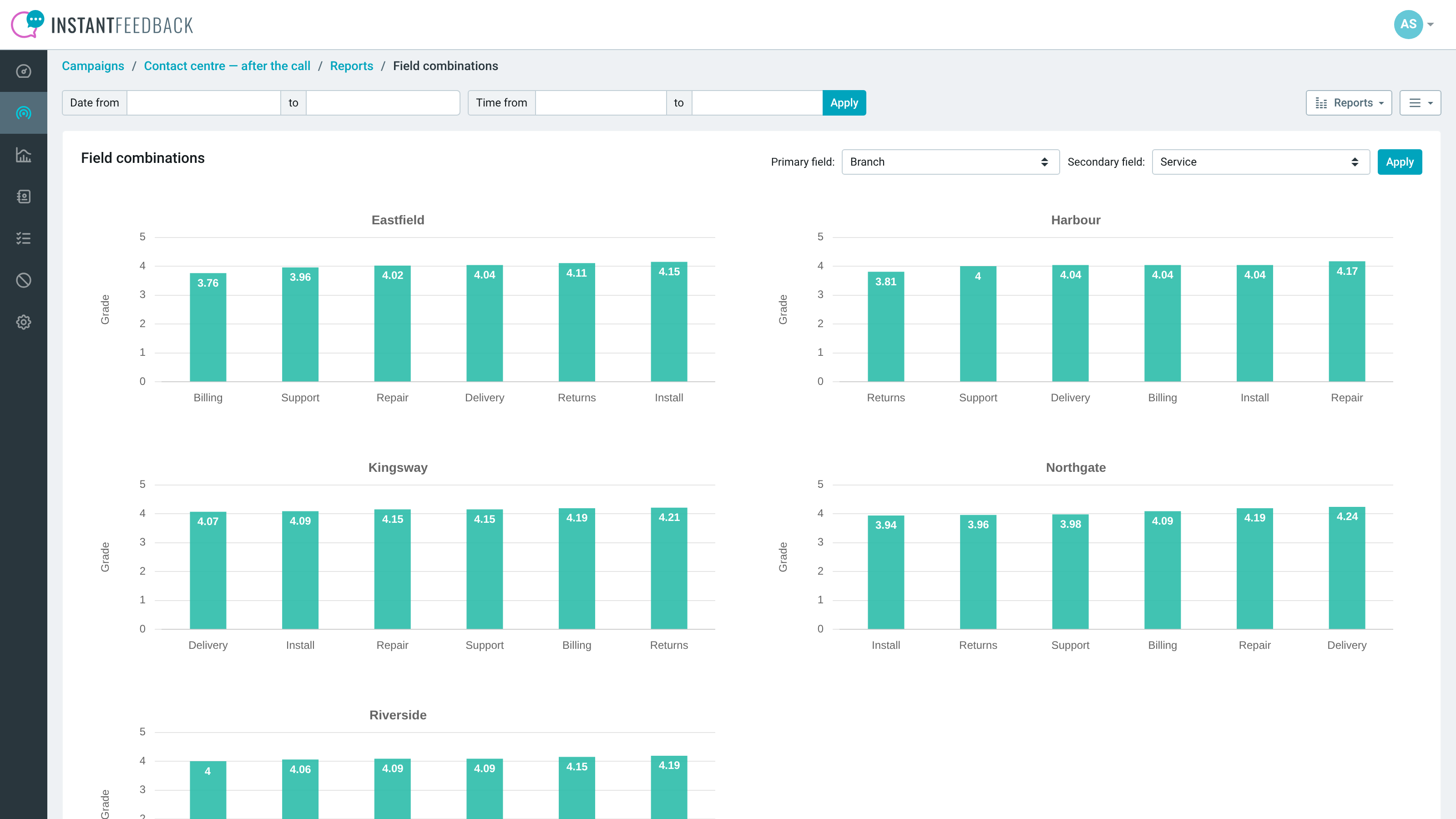
Dashboard and comparison
CSAT and NPS gauges and grade distribution at account level, plus a parameter comparison that cross-tabulates any two of your own fields — branch against service type, say — so the weak spot is visible rather than inferred.
Surveys that branch
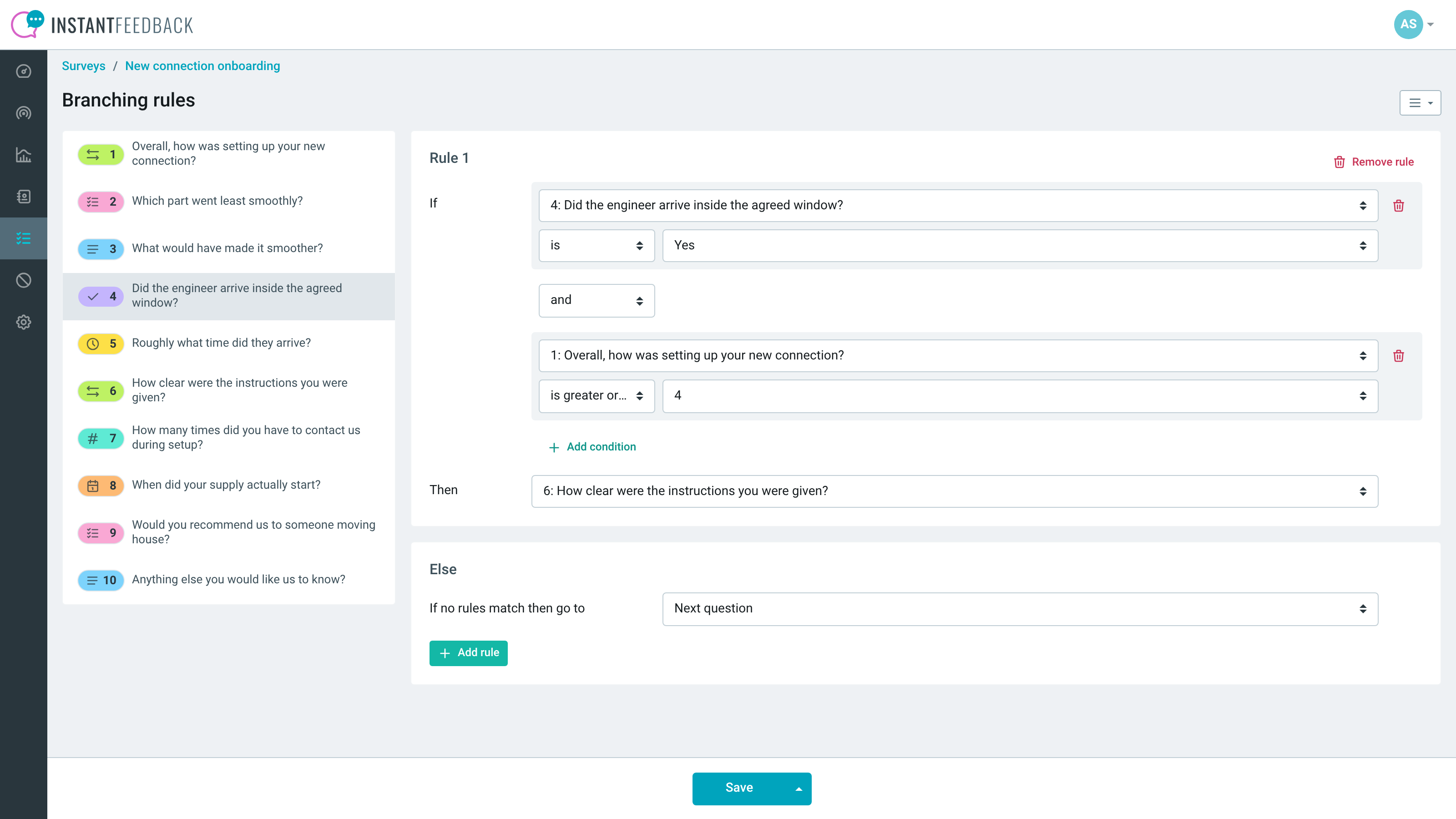
Seven question types — text, number, date, time, yes/no, choice and range — and logic rules that route on combined AND/OR conditions. Optional free navigation and a progress bar.
Funnel analytics
See how far people get through a survey and which question loses them, instead of guessing why completion is low.
AI agents
Comments analysis, per-campaign feedback summaries, automatic tagging, tag generation from existing comments, mismatched-grade detection and semantic indexing — each scoped to the campaigns you choose and run on a schedule.
Slice by your own fields
Custom fields travel with the response and can be shown in reports, so you can break results down by store, agent, product line or whatever you actually manage by.
Consistent NPS maths
Choose whether NPS is calculated across everyone asked or only those who graded — decided once at account level so the number means the same thing every time it's quoted.
Feedback that goes somewhere.
Every response can leave the product the moment it arrives: to a person, to a channel, to your CRM, or to your own systems.
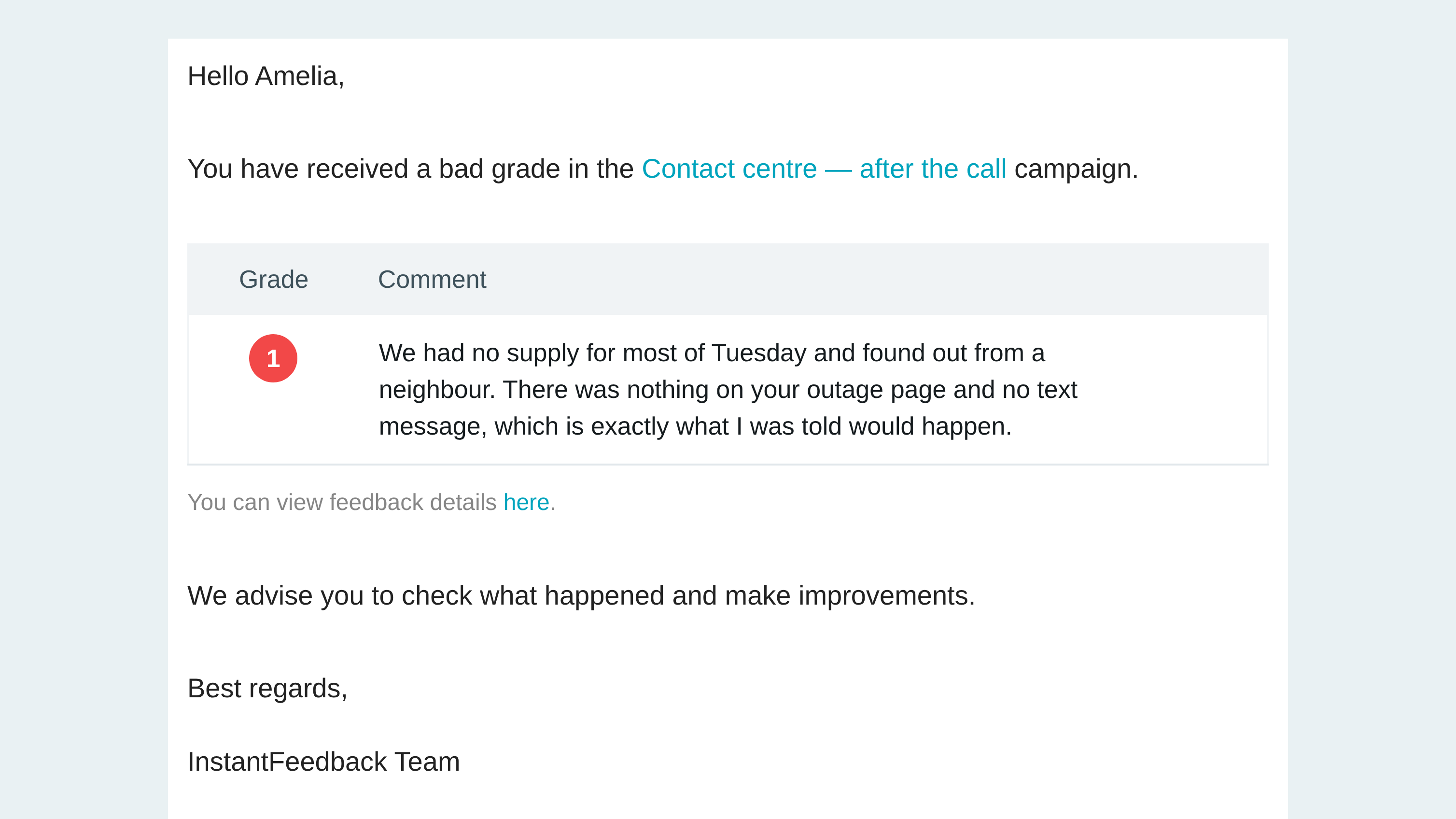
Real-time bad-grade alerts
Opt in per campaign and a low grade emails the responsible person in roughly a minute, while it's still recoverable.
Automatic replies by grade
Define the response the customer gets for each grade, per channel — so a 2 out of 5 and a 5 out of 5 don't get the same thank-you.
Digest reports
Daily, weekly and monthly summaries emailed out, so the numbers stay in front of the team without anyone having to log in and look.
HubSpot, both directions
Workflow actions send the request; grades, comments and survey results write back to the contact, deal and ticket timelines; average ratings land on properties you can segment on.
Slack and Microsoft Teams
New grades and comments posted into the channels your team already has open, with comments routed by grade and daily, weekly or monthly reports alongside.
Signed webhooks
Six events — request sent, reminder sent, grade received, comment received, survey started, survey completed — pushed to any endpoint you run, each signed with HMAC-SHA256.
REST API
Endpoints for feedback requests, contacts and surveys, authenticated with API keys you issue and expire yourself.
The part your DPO asks about.
Feedback data is customer data. The controls for handling it properly are in the product rather than in a policy document.
Personal data, flagged
Custom fields and individual survey questions can be marked as personal information, so the system knows what needs protecting rather than treating every field the same.
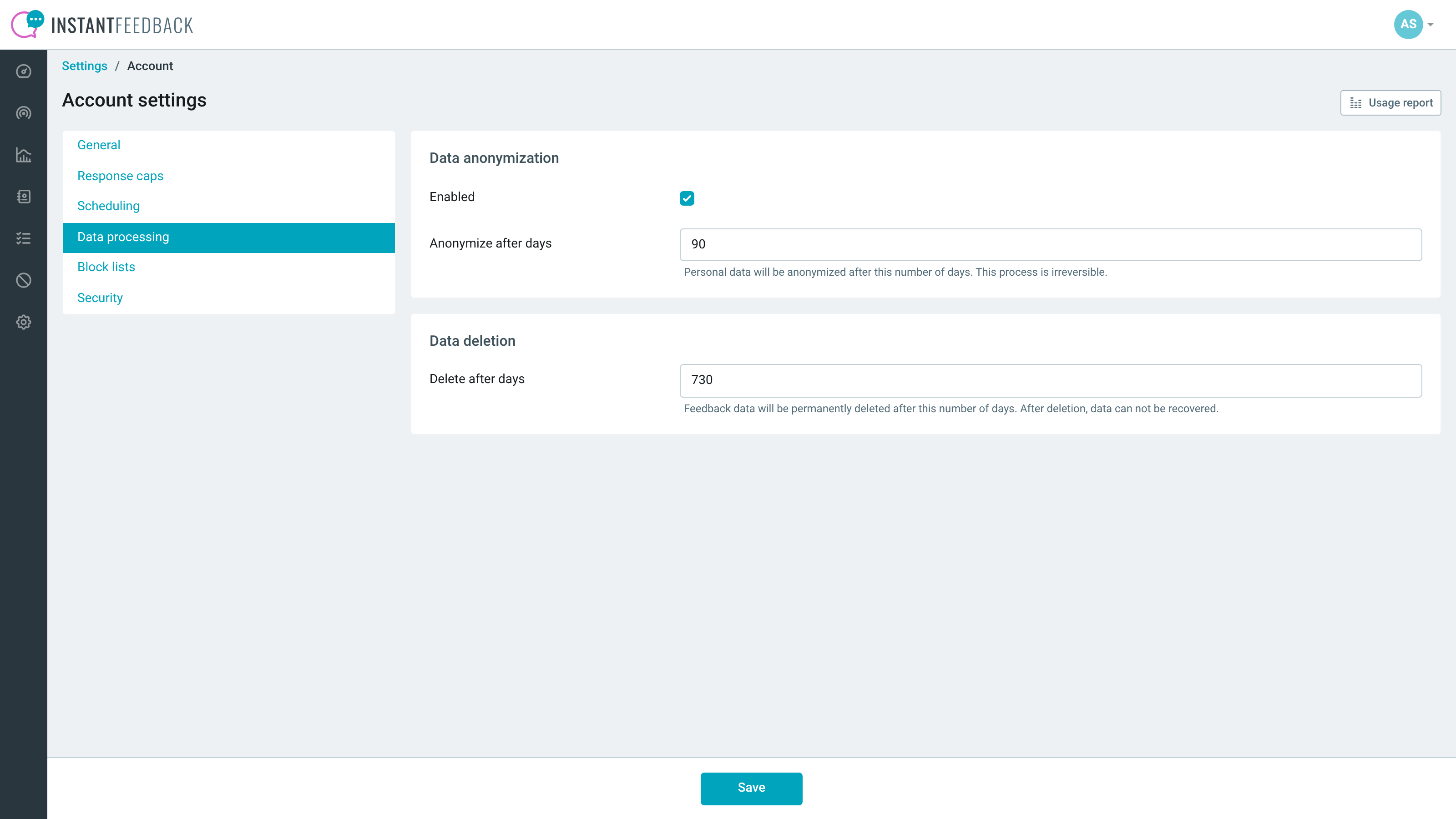
Scheduled anonymisation and deletion
Mask or anonymise responses after a set number of days, and delete them automatically after a longer one — set at account level, overridable per campaign.
Data access log
Which user looked at which contact's data, recorded as they do it, and viewable per contact. The question 'who accessed this record?' has an answer.
Access control per campaign
Grant view or edit rights campaign by campaign, so a regional team sees its own results and not everyone else's.
Organisations
Group multiple accounts under one organisation — for a group of companies, or a franchise network that needs both local and consolidated views.
Themes and white-label
Custom themes on the customer-facing widgets and pages, with white-labelling available so what your customers see is yours, not ours.
Usage you can see
Requests, grades, comments and completed surveys tracked per campaign per month, with response caps to stop a runaway integration spending your budget.
Want to see it against your own process?
A demo is the fastest way to find out whether this fits — including the HubSpot side, if that's where your team works.